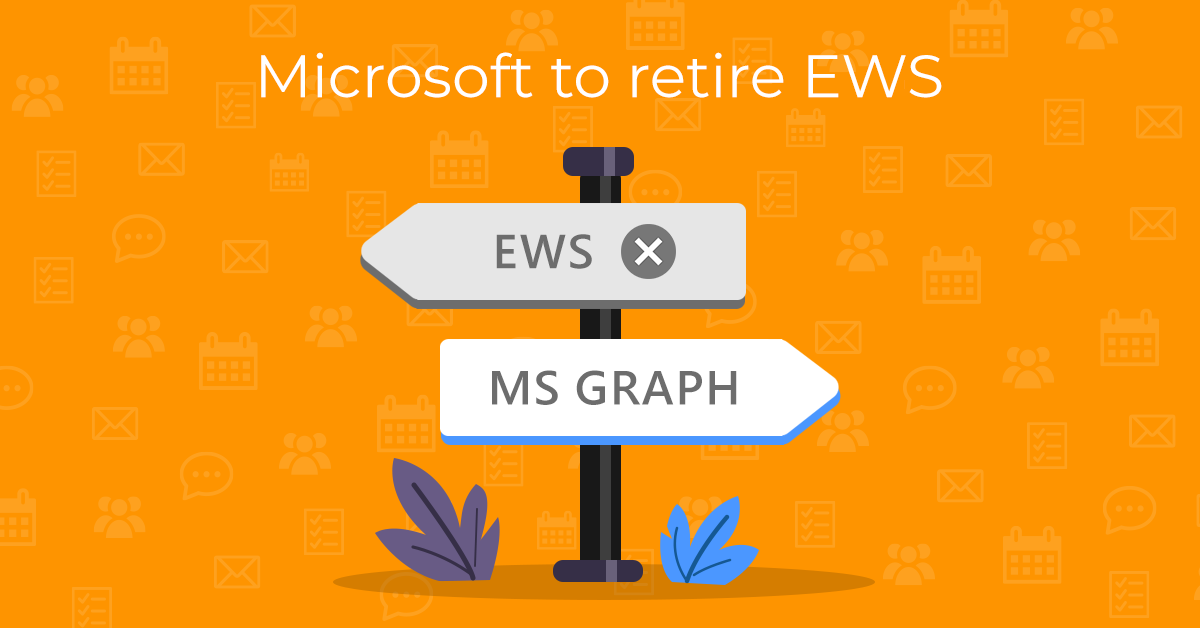
In February of this year, Microsoft announced the planned retirement of the Exchange Web Services (EWS) for Microsoft 365 accounts and recommends using the newer Microsoft Graph API instead.
The EWS protocol will be phased out starting in October 2026, with the process expected to conclude in 2027. We will add MS Graph to eM Client in version 11, so let’s take a look at what it means for eM Client users and how to ensure a smooth transition for everyone.
What is EWS?
The Exchange Web Services (EWS) protocol was released by Microsoft back in 2007. For many years, it was the standard way for applications like eM Client to access and synchronize data for Microsoft email accounts, including email, calendars, contacts, tasks and notes.
Microsoft began signaling the end of EWS back in 2018 when it announced that the protocol would no longer receive any feature updates.
eM Client has been monitoring the situation since then, and our developers have started implementing MS Graph since 2022, well before Microsoft’s official retirement announcement in 2023.
Unfortunately, we found that the Graph API didn’t support all the same features our users relied on, which is why we couldn’t make the full switch from EWS. We have been reporting all of these issues to Microsoft, and even now there are still some features missing. You can find the current Microsoft roadmap for implementing the missing features here.
Does this change affect me?
In case you’re unsure whether you’re using EWS protocol with your Microsoft account, you can check Menu > Accounts > your account (Windows) or eM Client > Accounts > your account (macOS). If you see an “Exchange Web Services” tab, you’re using EWS.
Free Microsoft accounts that already use the IMAP + AirSync setup will not be affected by this change, so there is no need to change anything for you.
What does the end of EWS mean for eM Client users?
With the deadline set, we’ve been working on finalizing full MS Graph support in the upcoming eM Client 11. Once it’s released, MS Exchange account users can easily switch to using Microsoft Graph simply by installing the upgrade and logging into your account via the secure OAuth pop-up.
If you plan to stay with eM Client 10 or older, you can manually set up your Exchange account with IMAP protocol instead. eM Client 10 does support IMAP and POP setup for MS Exchange accounts with the secure OAuth authentication method.
While IMAP only synchronizes email and does not support calendars, contacts, tasks, or other features available through EWS or MS Graph, it’s a viable option for those who want to continue syncing their email in eM Client without upgrading to eM Client 11 or switching to a different email provider.
MS Graph will work for synchronization of email, contacts, calendars, and tasks, but there are still some features that haven’t been made accessible by Microsoft yet – such as support for public folders, archives and distribution lists. You’ll need to copy or back up these items if you want to keep them in your eM Client.
Update 6 Aug 2026: Archive and Public folders have now been added to MS Graph.
What should you do before EWS is switched off?
If you plan to upgrade to eM Client 11, you’ll be covered in most parts – the switch to MS Graph will be easy. However, you might temporarily lose access to synchronized data from public folders, archives and distribution lists if Microsoft doesn’t complete these features before October 2026. It might be worth copying or exporting this data as a precaution.
Once eM Client 11 is available, you can just install it over your existing copy, and your MS Exchange account setup will be automatically migrated to Graph. Re-authorize your account via OAuth when prompted and continue using your account as usual – no further action is needed.
If you’re not planning to install eM Client 11, you might be able to set up your Microsoft accounts as IMAP to keep sending and receiving email, but there will be no way to synchronize other items once EWS is switched off. We recommend making a local copy of your contacts, calendar, tasks and notes or exporting them to keep access to them on your device.
If you aren’t using Local folders yet, you can enable Local folders in Settings > General > Folders by checking the “Local folders”. A new set of folders with that name will appear in all sections of the eM Client app, so you can easily right-click and copy either full calendars and other folders there or just specific items.
Items in Local folders are stored locally only on that specific device, but that means they will stay available in your eM Client even after the synchronization with your Microsoft account via EWS stops working.
If you don’t want to have the data duplicated while the EWS account is still synchronized, you might consider copying your data into a Data file instead, since these are local files that can be mounted and unmounted based on your needs.
You can also export any of your data via Menu > File > Export (Windows) or File > Export (macOS) in case you want to keep them backed up or ready for import into another account or back into eM Client once you switch to the IMAP setup (File > Import).
Who will have access to eM Client 11 with MS Graph support?
While MS Graph support will be available in eM Client 11, users need to have the appropriate license to update to the newest app version:
-
Subscription license users can always use the latest version; once the update is available, they can install it and migrate their account to MS Graph automatically.
-
Users who purchased a one-time payment license with lifetime upgrades will also receive the upgrade at no additional cost. The license will be upgraded to the newest major version once version 11 is released.
-
Users with a one-time payment license for version 10 and older versions will be able to purchase a license upgrade once eM Client 11 is released.
-
Free license users can always use the latest version of eM Client.
You can check your currently activated license in Help > License section.
If you’re unsure about any part of the process or have any questions, please do not hesitate to contact our support team at [email protected].