Please note that swipe gestures are currently only supported for the Windows version of eM Client on touch screen devices.
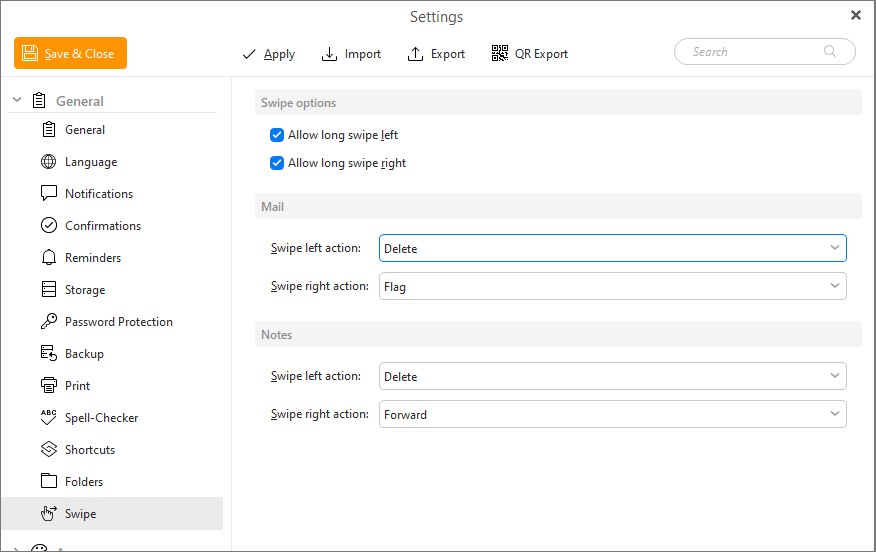
This allows you to enable/disable long swipe mode for left or right swipes.
A short swipe gives you a chance to confirm if you want to take the swipe action by doing a short swipe and then a tap on the icon that appears.

A long swipe will take the swipe action without confirmation.

Set the swipe actions in the mail view for left and right swipes.
Set the swipe actions in the Notes view for left and right swipes.