.png)
The General subsection of the general section of the Settings window contains four sub-panels: General,Synchronization, Operations Window, Default Email Application:
Usually, the default behavior of an application window when minimized (e.g. by pressing the minimize [dash] button in the top right corner of application window), it goes to the taskbar. But when this field is checked, the application will minimize to the tray at the lower right corner of the taskbar instead. To restore the application window simply double-click the application's icon (in the shape of orange envelope) in the tray.
When checked, the application will minimize to tray (instead of closing) when you click the close button (cross). To restore the application window simply double-click the icon in the tray.
By checking this option, eM Client will automatically start on Windows startup.
By checking this option you will set the application to automatically empty the trash when you exit the application.
All messages older than the specified amount of days will be deleted from all recognized Junk E-mail and Spam folders.
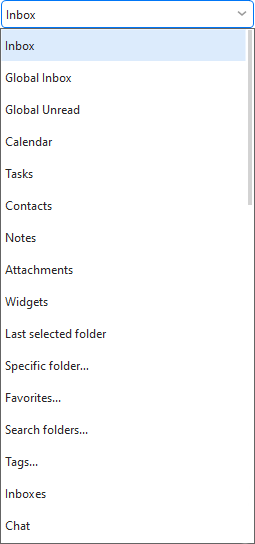
Here you can choose (from the following drop-down menu) what you want to display in the central panel upon startup.
When checked, the application will automatically synchronize your items at startup.
Check this field to automatically synchronize your items in every X minutes . This action will be performed every given number of minutes and you can change this frequency in the numeric field to the right of the checkbox.
Note: IMAP and EWS accounts will synchronize even outside of this interval if the server pushes an update.
When checked, an Operations Window will appear displaying the operation details during sending and receiving Emails.
When checked, the Operations Window will close itself automatically after sending and receiving Emails.
When checked, the Operations window will only appear when encounters errors during sending and receiving Emails.
Click on Make default button to make this product the default email client or bring you to system settings where you can set it.